

9 Mistakes That Kill Your Lithium Battery Early (And How to Avoid Them)
You bought a lithium battery expecting it to last a decade. Two years later, it barely holds half its charge — or worse, it’s swelling like a pillow. Sound familiar?
Here’s the uncomfortable truth about what damages lithium batteries: it’s rarely old age. They die because of how they’re treated. Heat, bad charging habits, cheap chargers, and simple neglect quietly shave years off a battery that should have served you far longer.
The good news? Almost every one of these killers is preventable. This guide walks you through the 9 most common mistakes that damage lithium batteries — what happens inside the cells, why it matters, and exactly how to fix each one. Whether your battery powers a solar system, a UPS, or an inverter, these rules apply.
Quick Answer: What Damages Lithium Batteries Most?
The biggest killers of lithium batteries are extreme heat, keeping the battery pinned at 100% charge, repeated deep discharges to zero, charging with the wrong or cheap charger, bypassing the battery management system (BMS), constant fast charging, storing at full charge in hot conditions, mixing old and new batteries, and ignoring early warning signs like swelling or sudden capacity drops. Fix these nine habits and your battery can last years longer.
Table of Contents
- Mistake #1: Cooking Your Battery in the Heat
- Mistake #2: Keeping It Pinned at 100% Charge
- Mistake #3: Draining It to Zero Again and Again
- Mistake #4: Charging With the Wrong (or Cheap) Charger
- Mistake #5: Bypassing or Skipping the BMS
- Mistake #6: Fast-Charging Every Single Day
- Mistake #7: Storing It Fully Charged in a Hot Room
- Mistake #8: Mixing Old and New Batteries in One Bank
- Mistake #9: Ignoring the Warning Signs
- The 10-Minute Battery Health Checklist
- FAQs
- Conclusion
Mistake #1: Cooking Your Battery in the Heat
Walk into any Pakistani home with a solar setup and you’ll often find the batteries tucked into a tin-roof shed, a sun-baked rooftop corner, or a closed store room with zero airflow. In June, when ambient temperatures in Punjab and Sindh cross 45°C, the inside of that shed can easily hit 55°C or more.
That heat is quietly destroying the battery.
Why it harms the battery
Heat accelerates every unwanted chemical reaction inside a lithium cell. The protective SEI layer on the anode grows thicker, electrolyte slowly decomposes into gas, and active lithium gets consumed by side reactions instead of storing energy. Battery University identifies 20–25°C as the ideal operating range and notes that degradation climbs sharply above 30°C. Research from the National Renewable Energy Laboratory (NREL) warns that prolonged exposure above 60°C can render lithium batteries ineffective and increases thermal runaway risk.
In practical terms: a battery sweating through every summer in a hot shed ages dramatically faster than the same battery kept in a cool, ventilated room. Heat doesn’t just reduce capacity temporarily — the damage is permanent and cumulative.
How to fix it
- Relocate the battery to the coolest shaded spot available — ideally indoors or in a ventilated area, never in direct sunlight.
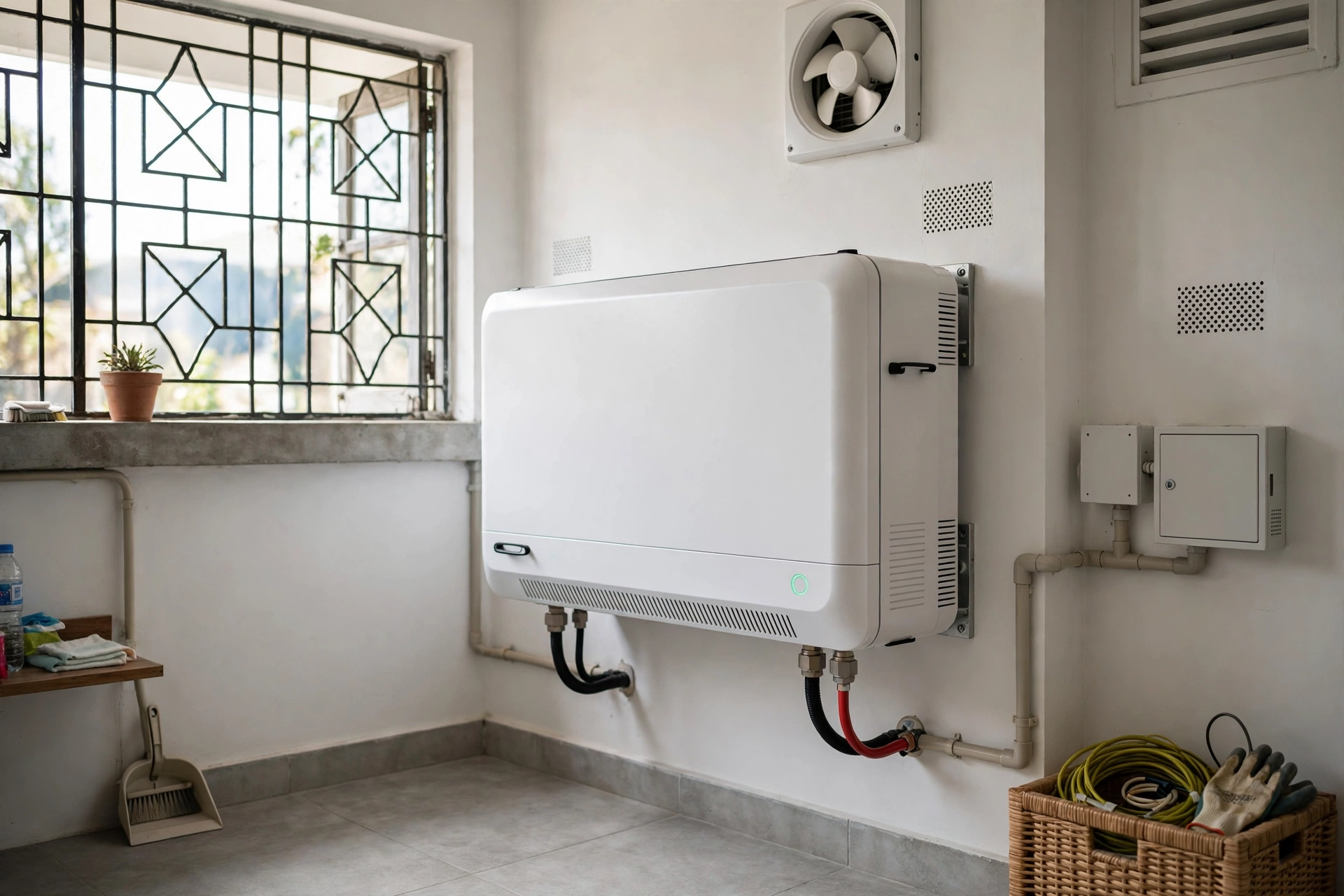
- Ensure airflow. Even a small exhaust fan in the battery room makes a measurable difference in summer.
- Never charge a hot battery. Most quality BMS units halt charging above 45°C; respect that limit instead of fighting it.
- Reduce charge current on the hottest afternoons if your inverter or charge controller allows it. Slower charging means less internal heat on top of ambient heat.
- Keep batteries away from heat sources — inverters themselves run warm, so leave separation between the inverter and the battery bank.
Mistake #2: Keeping It Pinned at 100% Charge
This one surprises most solar owners. Your system charges the battery to full by 10 AM, and then it just… sits there at 100% all day, every day. Feels like the system is working perfectly. Chemically, it’s a slow grind.
Why it harms the battery
A lithium cell at 100% charge sits at its maximum voltage, and high voltage stresses the electrolyte. Over weeks and months, this accelerates electrolyte oxidation and calendar aging — degradation that happens whether you use the battery or not. Widely cited Battery University findings suggest that keeping cells pinned at full charge can cut overall lifespan by roughly a fifth or more compared to partial-charge operation. For a deeper look at how charge levels affect longevity, see our guide on how long lithium batteries last and tips to extend their life.
This is especially relevant for backup/UPS batteries that rarely cycle — they spend 99% of their life floating at full charge in a warm room, which is the worst combination for calendar aging.
How to fix it
- Cycle the battery regularly. Batteries that actually discharge and recharge daily age more gracefully than ones parked at 100%.
- If your inverter allows it, lower the float voltage slightly below the maximum. A small reduction in resting voltage meaningfully reduces stress.
- For standby UPS batteries, run a monthly exercise cycle — disconnect mains, let the battery discharge to around 40–50%, then recharge. This keeps the chemistry active.
- Aim for a daily operating window of roughly 20–80% where your usage pattern allows it. You don’t need to obsess over it, but avoiding a permanent 100% is one of the highest-value habits.
Mistake #3: Draining It to Zero Again and Again
Load shedding hits, the UPS kicks in, and the family keeps everything running until the inverter finally cuts out. Night after night, the battery gets dragged down to empty. Many people assume the low-voltage cutoff means “this is fine, the system protected itself.”
It didn’t — not really.
Why it harms the battery
The BMS low-voltage disconnect (typically around 2.5V per cell for LiFePO4) is an emergency brake, not a daily target. When a lithium cell drops toward empty, the copper current collectors inside begin to dissolve into the electrolyte. On the next charge, that dissolved copper forms spiky dendrites that can pierce separators, create internal short circuits, and generate gas — which is one of the root causes of battery swelling. Deep discharges also cause disproportionate capacity loss that never comes back.
How to fix it
- Size your battery so a normal night ends above 20% charge. If you’re hitting cutoff regularly, your battery bank is undersized for your load — not “working hard.”
- Set the inverter’s low-voltage disconnect conservatively (above the BMS cutoff), so the system stops before the battery reaches the danger zone.
- Shed non-essential loads during outages. Running the air conditioner on battery backup until cutoff is the fastest way to murder a battery bank.
- If the BMS low-voltage protection trips often, treat it as a warning — either reduce your loads or expand your battery capacity.
Mistake #4: Charging With the Wrong (or Cheap) Charger
Local markets are full of bargain chargers, and plenty of people connect old lead-acid UPS chargers to new lithium batteries “because the voltage looks close enough.” It isn’t.
Why it harms the battery
Lithium chemistries need a precise charging profile — the right absorption voltage, the right cutoff behavior, and clean, stable current. A lead-acid charger applies the wrong voltage stages and can push a lithium pack past its safe upper limit. Cheap no-name chargers may also deliver unstable, spiky voltage. Overvoltage forces excess lithium into the anode, causes metallic lithium plating, decomposes electrolyte into gas, and can swell a pack within a handful of cycles. This is also how chargers damage the battery’s internal balance: some cells get hammered while others lag, and the pack degrades unevenly.
How to fix it
- Match the charger to your exact battery chemistry. A 12V LiFePO4 pack (4 cells) typically charges at 14.2–14.6V absorption — but always confirm against your battery’s datasheet, because specifications vary by manufacturer.
- Never use a lead-acid charger on a lithium battery unless it has a dedicated, manufacturer-approved lithium mode.
- Buy chargers from reputable brands and sellers. As a rough guide, a decent lithium-profile charger in Pakistan typically costs in the range of PKR 8,000–25,000 depending on amperage and features (as of October 2026 — prices fluctuate, verify before buying).
- Inspect chargers periodically. Frayed cables, loose connectors, and overheating chargers are replace-immediately items.
Mistake #5: Bypassing or Skipping the BMS
The Battery Management System is the small circuit board that monitors every cell’s voltage, current, and temperature — and disconnects the battery before anything goes out of bounds. Some DIY builders bypass it when it “keeps tripping,” and some ultra-cheap batteries ship with a fake or missing BMS. Both are playing with fire, sometimes literally.
Why it harms the battery
Without a working BMS, nothing stops overcharging, over-discharging, overcurrent, or overheating. A single hot afternoon with a faulty charger can push cells past safe voltage with no cutoff. Cell imbalance goes uncorrected, so the strongest cells get overcharged while the weakest get over-discharged — the pack eats itself from both ends. To understand what the BMS actually does inside your battery, read our guide on how lithium batteries work.
How to fix it
- Never bypass the BMS. If it keeps tripping, it’s telling you something — diagnose the cause (undersized battery, faulty charger, extreme heat) instead of silencing the messenger.
- When buying a battery, confirm it has a genuine BMS with temperature sensing. Ask the seller directly; reputable sellers will answer clearly.
- A BMS protection trip is a diagnostic clue, not a nuisance. Frequent high-voltage or low-voltage cutoffs mean your system settings or sizing need attention.
- For solar setups, remember the BMS works as a team with your inverter — proper inverter voltage settings mean the BMS rarely needs to intervene at all.
Mistake #6: Fast-Charging Every Single Day
Fast charging is convenient. It’s also stressful. Pushing high current into the cells generates internal heat and creates concentration gradients at the anode — lithium ions arrive faster than they can neatly slot into the electrode structure, leading to metallic lithium plating and micro-cracking of electrode particles. Over hundreds of cycles, the capacity penalty is real.
Why it harms the battery
Every fast-charge session adds thermal and mechanical stress. In an already-hot Pakistani summer, fast charging stacks internal heating on top of ambient heating — the worst of both worlds. Studies on charging rates consistently show that routine high-rate charging shortens cycle life compared to moderate charging, largely because of the extra heat involved.
How to fix it
- Charge at moderate rates for daily use — around 0.5C or slower (meaning a full charge takes about two hours or more) is a good longevity target when you’re not in a hurry.
- Reserve fast charging for when you genuinely need it, like topping up quickly before an expected outage.
- Keep the battery as cool as possible while charging — charge during cooler hours if your setup allows scheduling.
- On solar systems, this usually takes care of itself — panels naturally charge over several hours. The risk is mainly with grid chargers set to aggressive current limits.
Mistake #7: Storing It Fully Charged in a Hot Room
Maybe you bought a spare battery “for later,” or your solar battery sits unused through the mild winter months. It goes into the storeroom at 100% charge — and stays there for months in Pakistani heat. When you finally need it, the capacity is mysteriously gone.
Why it harms the battery
This is calendar aging at its worst: high state of charge plus high temperature is the fastest-aging combination for lithium chemistry. Engineering models of calendar aging show that storing at 100% SoC in hot conditions can roughly halve the battery’s calendar life compared to storing at around 50% SoC at room temperature. The electrolyte oxidizes, the SEI layer thickens, and usable lithium is permanently lost — all while the battery does absolutely nothing.
How to fix it
- Store at 40–60% charge, not full. This is the single most important storage rule, recommended by manufacturers and battery researchers alike.
- Choose a cool, dry spot — ideally 15–25°C. Avoid storerooms under metal roofs in summer.
- Check the charge every three months and top it back up to the 40–60% range if it has drifted below 20%. Lithium self-discharge is slow (typically under 3% per month), so this is a light chore, not a burden.
- Disconnect the battery from loads and chargers during storage so nothing drains or trickle-charges it silently.
- If you’re storing for an entire season, put a reminder in your phone — “set and forget” is how storage damage happens.
Mistake #8: Mixing Old and New Batteries in One Bank
Your two-year-old battery bank feels a bit weak, so you add one shiny new battery alongside the old ones. Same voltage, so it should be fine — right? Unfortunately, this is one of the most expensive mistakes in the book.
Why it harms the battery
Batteries age, and aged cells have higher internal resistance and lower capacity than new ones. In a mixed bank, the weaker (older) cells hit empty first and get dragged into deep discharge by the stronger ones; during charging, the stronger cells can get pushed toward overvoltage. The BMS’s balancing function can only correct small differences between cells — it cannot fix a fundamentally mismatched bank. The result: the entire bank degrades toward the level of its weakest battery, and your expensive new battery ages prematurely alongside the old ones.
How to fix it
- Build banks from matched batteries — same brand, same model, same capacity, purchased together.
- When expanding, replace the bank as a set rather than bolting new cells onto old ones. Repurpose the old batteries for a lighter-duty application instead.
- If you must run batteries of different ages, keep them on separate circuits with their own protection — never directly paralleled.
- When buying, think ahead: if you plan to expand your solar system later, buy a battery model you can still source in a year or two. Our buying guide for solar lithium batteries covers what to look for.
Mistake #9: Ignoring the Warning Signs
A battery rarely dies without sending signals first. The case feels slightly puffy. It runs hot during normal charging. Backup time has quietly dropped by a third. The BMS trips more often than it used to. Each of these is the battery asking for help — and ignoring them is how minor degradation turns into a safety incident.
Why it harms the battery (and you)
Swelling means gas is building up inside from electrolyte decomposition — the internal chemistry is already compromised and the process is irreversible. Continued charging of a swollen battery risks rupture, venting of flammable electrolyte, and in extreme cases thermal runaway. Heat, sudden capacity drops, and frequent BMS trips all indicate internal damage that will only compound. Safety guidance from the U.S. Consumer Product Safety Commission is unambiguous: a swollen or damaged lithium battery should never be charged or used again.
How to fix it
- Learn the warning signs: visible swelling or case deformation, unusual heat during normal use, a sharp drop in runtime, the BMS cutting out frequently, or any hissing, sweet-chemical smell, or leaking fluid.
- If you spot swelling: stop immediately. Disconnect the battery, do not charge it, and move it away from flammable materials.
- Isolate it safely in a non-flammable container (a metal box or bucket of sand works) in a ventilated area away from the house.
- Dispose of it properly through a battery recycler or e-waste facility — never in household trash, and never attempt to puncture, compress, or “fix” a swollen battery.
- Act on early capacity loss instead of waiting: run the health checklist below, and if the battery is genuinely degraded, plan a replacement before it becomes a hazard.
The 10-Minute Battery Health Checklist
Run through this once every few months. It takes ten minutes and catches most problems while they’re still cheap to fix.
- Look: Inspect the case for swelling, cracks, discoloration, or leaking fluid. Check terminals for corrosion or looseness.
- Feel: After a normal charge cycle, the battery should be barely warm. Noticeable heat during routine charging is a red flag.
- Smell: Any sweet, solvent-like, or acrid odor near the battery means stop and investigate immediately.
- Measure: With a multimeter, check the resting voltage (after sitting unused for an hour). Compare it against your battery’s datasheet — a 12V LiFePO4 resting far below ~13V at “full” suggests capacity loss.
- Time it: Note how long the battery lasts under a known load. A 20–30% drop in runtime versus when it was new means significant degradation.
- Check the BMS: If your battery has a Bluetooth/app-enabled BMS, review cell voltage differences. Cells drifting more than about 0.1V apart indicate imbalance problems.
- Review the environment: Is the battery still in a cool, ventilated spot? Summer may have turned a fine location into an oven.
- Check connections: Tighten terminals, look for frayed cables, and confirm the charger settings still match the battery chemistry.
If the battery fails several of these checks, don’t wait for it to fail completely — start planning a replacement, and give the full story on battery longevity a read in our companion article on LiFePO4 battery lifespan and cycle life.
FAQs
Can overcharging a lithium battery cause a fire?
Yes, in extreme cases. Sustained overcharging decomposes the electrolyte, generates flammable gas, and can trigger thermal runaway — a self-accelerating reaction that leads to fire. This is exactly why every lithium battery needs a working BMS with overcharge protection, and why you should never bypass it.
Is it OK to leave a lithium battery on the charger overnight?
Occasionally, yes — a proper lithium charger stops at the correct voltage. But making it a daily habit keeps the battery pinned at 100%, which accelerates calendar aging. If your charger has no storage or float-lowering mode, unplug once charged.
Why is my lithium battery swelling?
Swelling is caused by gas buildup from electrolyte decomposition inside the cells. The usual triggers are overcharging, repeated deep discharges, chronic overheating, or manufacturing defects. A swollen battery is chemically unstable and irreversible — stop using and charging it immediately and dispose of it through proper e-waste channels.
How do I know if my lithium battery is dying?
The classic signs: noticeably shorter runtime under the same load, the battery feeling hot during normal charging, the BMS tripping more often, resting voltage lower than the datasheet specifies, or any swelling or odor. Run the 10-minute checklist above to confirm.
Can I use my old UPS/inverter charger for a lithium battery?
Only if it has a dedicated lithium charging mode with the correct voltage profile for your chemistry. Standard lead-acid chargers use the wrong charge stages and voltages, and can overcharge a lithium pack. When in doubt, buy a charger explicitly rated for your battery type.
Does Pakistan’s summer heat really damage lithium batteries?
Yes — heat is the number one environmental killer of lithium batteries. With summer temperatures regularly exceeding 45°C in much of the country, batteries in unventilated sheds or rooftop boxes age far faster than ones kept cool. Shade, airflow, and avoiding charging during peak heat make a real difference.
Should I fully drain my lithium battery before recharging?
No. That’s a leftover habit from old nickel-cadmium batteries, which suffered from “memory effect.” Lithium batteries prefer partial cycles — routinely draining to zero causes deep-discharge damage. Shallow to moderate discharges (staying above ~20%) maximize lifespan.
Conclusion
Lithium batteries are remarkably durable when treated right — and remarkably fragile when treated wrong. The nine mistakes in this guide share a common theme: they all push the battery outside the comfortable middle ground of moderate temperature, moderate charge levels, and matched, quality components.
You don’t need to become a battery engineer. Just remember the big three: keep it cool, don’t park it at 100%, and never drain it to zero. Add a proper charger, a working BMS, and an occasional health check, and your battery will reward you with years of reliable service instead of an early trip to the recycler.
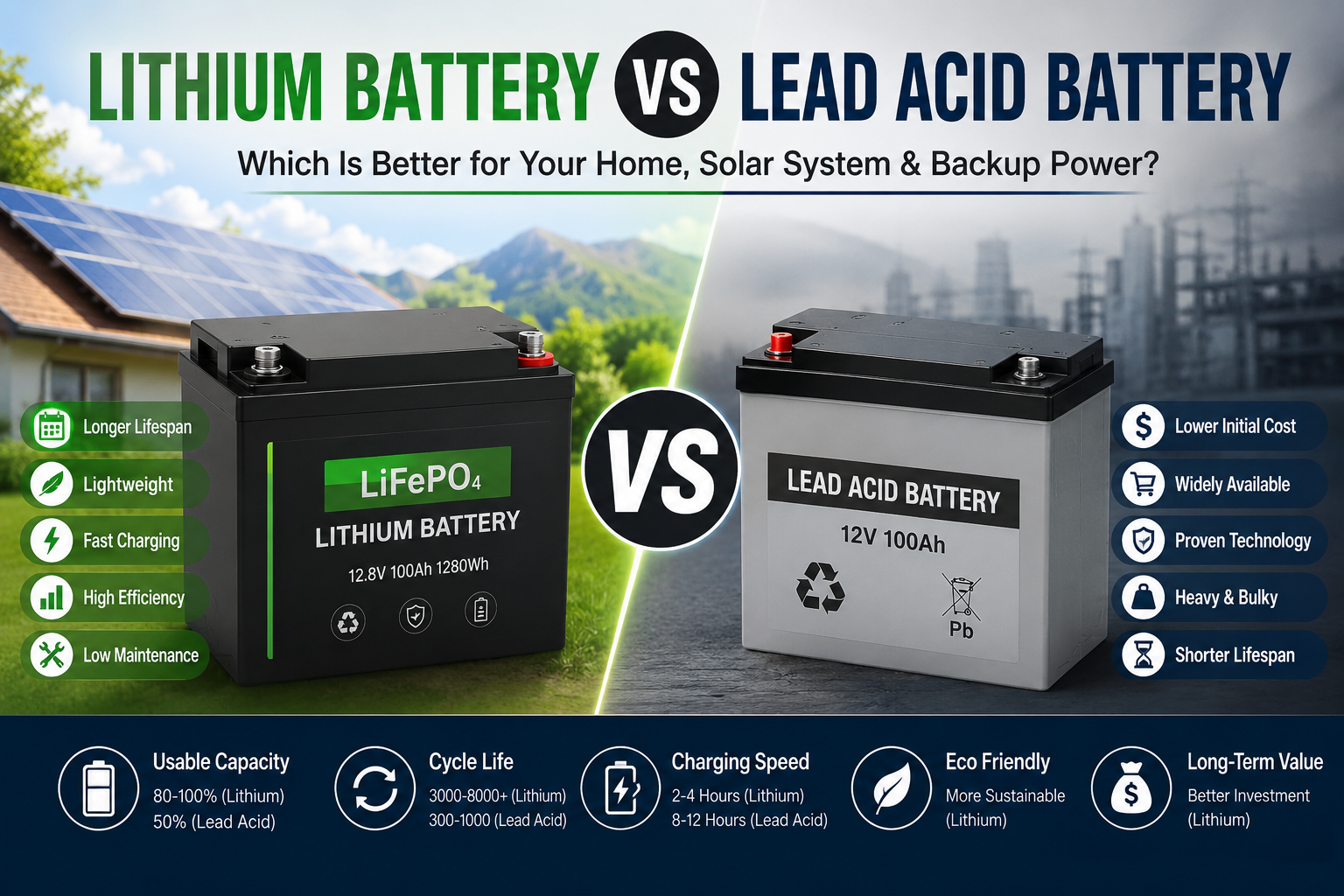
If you’re shopping for a battery that starts life on the right foot, browse our lithium battery buying guide for solar systems — and if you’re weighing lithium against the older technology, our lithium vs lead-acid comparison lays out the real-world tradeoffs.
Found this useful? The biggest favor you can do your battery costs nothing: move it out of the hot shed this weekend.
Sources & Further Reading
- Wevolver — How to Charge a Lithium-Ion Battery Safely and Efficiently
- Heated Battery — Why Do LiFePO4 Batteries Need a BMS?
- Ufine Battery — Swollen Battery Causes & Safety Guide
- STIHL — A Guide to Proper Lithium-Ion Battery Storage
- iFixit — Why Is Your Old Phone Battery Swollen?
One thought on “9 Mistakes That Kill Your Lithium Battery Early (And How to Avoid Them)”