
Why Your Lithium Battery Drains Fast: Causes & Fixes That Actually Work
You charged your lithium battery to full last night. By morning, it’s already down to 70% — and nothing was even running. Or maybe your solar battery used to carry the house through a full night of load-shedding, and now it gives up by 2 AM. Either way, the question is the same: why is my lithium battery draining so fast?
Here’s the first thing you need to know: in most cases, the battery isn’t broken. A fast-draining lithium battery usually means something is silently consuming power — or something is wrong with the setup, not the cells. The genuinely tricky part is that “drains fast” can mean two very different things: real capacity loss (the battery truly holds less energy than before) and phantom drain (the energy is going somewhere you can’t see). They need different fixes.
This guide helps you tell the two apart, walks through every major cause of fast drain — from parasitic loads and inverter standby consumption to unbalanced cells and summer heat — and gives you a practical checklist you can run at home with a basic multimeter. You’ll also learn when the problem is actually a dying battery, and when it’s time to call a technician instead of poking around further.
Quick Answer: Why Does a Lithium Battery Drain Fast?
The most common reasons a lithium battery drains fast are hidden parasitic loads (devices drawing power while everything looks “off”), inverter or UPS standby self-consumption, BMS and electronics standby draw, unbalanced cells triggering early BMS cutoffs, heat accelerating self-discharge, repeated deep discharges aging the cells, an undersized battery bank for the load, and an aging battery with real capacity loss. Start by ruling out hidden loads: disconnect everything and watch whether the drain stops — if it doesn’t, the problem is in the pack itself.
Table of Contents
- Real Drain vs. Phantom Drain: Know Which One You Have
- Cause #1: Hidden Parasitic Loads
- Cause #2: Inverter and UPS Self-Consumption
- Cause #3: BMS and Pack Electronics Standby Draw
- Cause #4: Unbalanced Cells
- Cause #5: Heat Accelerating Self-Discharge
- Cause #6: Deep Discharges and an Undersized Battery
- Cause #7: Genuine Aging — When the Battery Really Is Dying
- Symptom → Cause → Fix: The Diagnostic Table
- The 30-Minute Home Troubleshooting Checklist
- Pakistan-Specific Drain Scenarios
- Safety: Never Open the Pack or Bypass the BMS
- When to Call a Technician
- FAQs
- Conclusion
- Sources & Further Reading
Real Drain vs. Phantom Drain: Know Which One You Have
Before you blame the battery, make sure you’re measuring the right thing. Engineers split idle battery losses into two categories, and mixing them up is the single most common diagnostic mistake.
Real drain means the battery’s cells have actually lost stored energy. This includes normal electrochemical self-discharge (slow internal reactions that consume a little charge even with nothing connected — a normal part of lithium chemistry), capacity fade from aging, and genuine faults like a micro-short inside a cell. A detailed technical guide on lithium self-discharge from Herewin Power makes the key point clearly: a healthy lithium cell loses charge slowly and predictably on its own; the pattern to watch is the trend over time, not a single voltage reading.
Phantom drain means the energy is being spent by something attached to the battery: an inverter idling in standby, a BMS, a Bluetooth module, a display screen, an alarm system, or a device you forgot was wired in. The cells are fine — the pack is just quietly feeding loads you didn’t count.
There’s also a third impostor: voltage sag. When you apply a heavy load, the terminal voltage dips sharply even though the stored energy is still there. Your inverter’s display may show the battery at “20%” under a heavy evening load, then bounce back to 45% ten minutes after the load stops. That’s voltage recovery, not real capacity — and it confuses a lot of owners into thinking their battery is dying. Similarly, a battery fresh off the charger will show a slightly higher voltage than its true resting level for a while; that’s a normal settling effect called OCV relaxation, not lost energy.
The practical takeaway: never diagnose from a single percentage reading. Note the battery level at rest (no load, no charging), wait, then measure again under identical conditions. Repeatable loss with everything disconnected points to the pack; loss that disappears when you unplug loads points to phantom drain.
Cause #1: Hidden Parasitic Loads
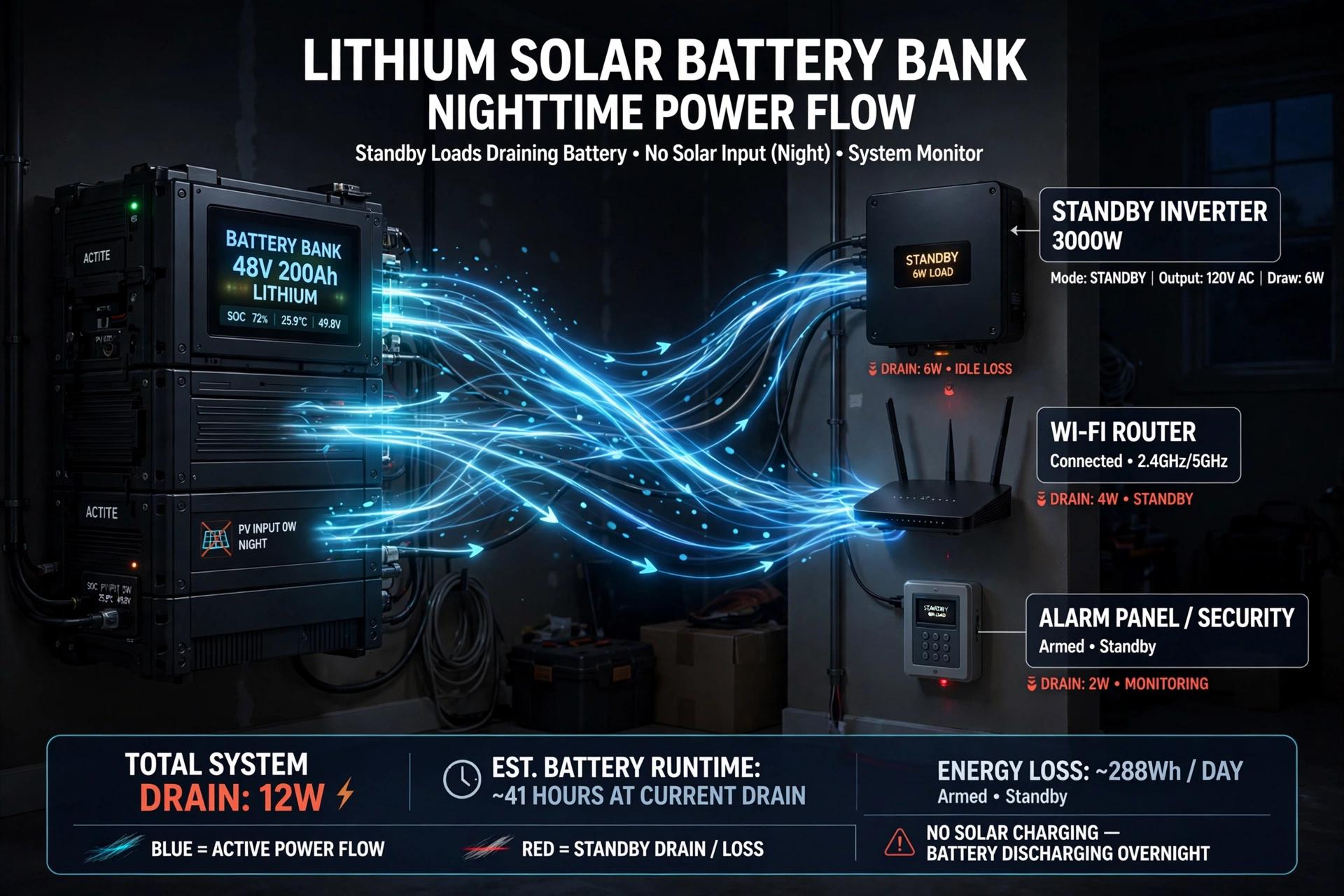
A parasitic load is any device that keeps sipping current after you think the system is “off.” In solar and inverter setups, the usual suspects are Wi-Fi modules and data loggers, CCTV cameras or DVRs on the backup circuit, alarm panels, gate motors in standby, router and fiber ONT boxes (in many Pakistani homes these are wired to the UPS circuit), and small always-on devices like LED night lights or phone chargers left plugged in.
Each one draws little on its own, but the math is unforgiving. A single 0.5-amp parasitic draw at 12V is 6 watts — trivial for one hour, but it runs for 24 hours: 6W × 24h = 144 watt-hours per day. On a common 12V 100Ah lithium battery (about 1,280 Wh of usable energy), one unnoticed 6W drain eats roughly 11% of the battery every single day. Three or four such devices, and your battery is half empty by morning with nothing visibly “on.”
Fix it by making an honest inventory of every device on the battery circuit, then use a DC clamp meter around the battery cable to measure the actual draw with everything supposedly off. In a healthy system, zero load should read zero current. If the meter shows current flowing with everything switched off, start disconnecting branches one by one until the current disappears — the last thing you disconnected is your phantom load. A basic DC-capable clamp meter costs roughly PKR 4,000–10,000 in Pakistan as of October 2026, and it’s the single most useful diagnostic tool a solar owner can buy.
Cause #2: Inverter and UPS Self-Consumption
This is the big one for solar homes, and it’s the cause most owners never suspect. Your inverter is never truly “off” unless you physically switch it off or cut its battery connection. Even with zero appliances running, it keeps its control board, display, monitoring module, and power switching circuits alive. Manufacturers call this no-load, idle, or standby consumption.
How big is it? Small units may draw only 5–10 watts, but larger hybrid inverters can sit at several tens of watts. An article from solar manufacturer SRNE explains that a 40W standby load works out to 40 × 24 = 960 watt-hours per day — nearly 1 kWh consumed every day just to keep the inverter “ready.” Leave it idle for a week and that’s about 7 kWh gone before you’ve run a single appliance. Some inverters do much better: Growatt’s 3kW off-grid inverter datasheet lists standby consumption of just 2W, while a typical 3kW hybrid unit is rated under 50W. The lesson isn’t that one brand is good or bad — it’s that you should check your own model’s standby figure in its datasheet, because the spread between models is enormous.
Do a quick reality check on your own system. Take your inverter’s standby wattage (from the manual or monitoring app), multiply by 24, and compare the result to your battery’s usable capacity. Example: a 3kW hybrid inverter drawing 35W idle consumes 840 Wh/day. Paired with a single 48V 100Ah battery (about 5,120 Wh usable), standby alone drains roughly 16% of the battery every day — before a single light is switched on. On a small two-battery system, that can easily be the difference between surviving the night’s load-shedding and not.
If your inverter has an eco, sleep, or zero-load mode, enable it when you don’t need instant AC — these modes slash standby draw while keeping the system responsive. For extended idle periods (travel, seasonal homes), switching the inverter fully off saves the most, but remember it also drops any loads wired through it, like the router or alarm.
Cause #3: BMS and Pack Electronics Standby Draw
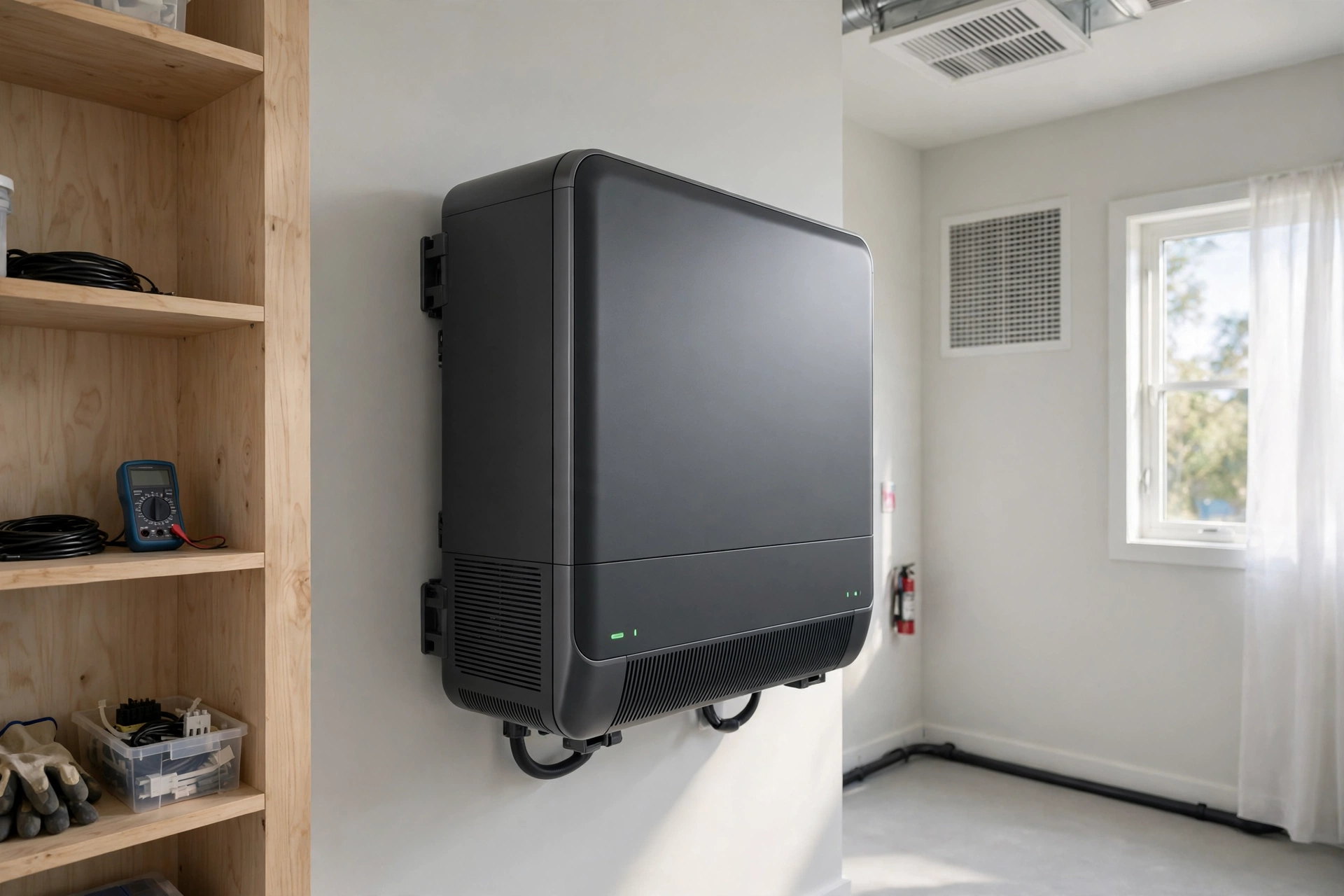
Even with the inverter switched off and all loads disconnected, a modern lithium battery pack is not a passive box of cells. It contains a battery management system, often a Bluetooth module, sometimes a display, balancing circuitry, and occasionally a heater or relay — all of which draw a tiny quiescent current from the pack whenever they’re connected.
For a healthy pack this is genuinely tiny. An industrial-grade BMS in sleep mode may draw only 5–20 microamps; a typical consumer protection board sits around 50–100 microamps. But feature-rich smart BMS units — with always-on Bluetooth, live displays, active balancing, and temperature alerts — can draw several times more, and the draw is continuous, day and night, whether the battery is in use or not.
This is usually not the main culprit on its own, but it becomes significant in two situations: long storage periods (weeks to months), where even microamps add up, and faulty electronics, where a BMS or Bluetooth module with an internal fault draws far more than its design spec. If your battery drains noticeably over a week of total disconnection from everything, suspect the pack electronics before the cells. Note that how lithium batteries age while sitting unused is a broader topic worth understanding — the self-discharge and standby behavior covered in our guide to lithium battery degradation when not in use applies directly here.
The fix: for long idle periods, use the pack’s physical disconnect switch if it has one, or disconnect the main battery cable. Don’t fight the BMS — it’s protecting your battery — just know it’s a small constant consumer and plan for it.
Cause #4: Unbalanced Cells
A lithium battery pack is a team of cells in series, and it can only ever be as good as its weakest player. When cells drift out of balance — some at higher voltage than others — the BMS shuts the whole pack down as soon as the lowest cell hits the low-voltage cutoff, even if the remaining cells still hold plenty of energy. The result feels exactly like a battery that “drains too fast”: it dies at 30% or 40% indicated charge, because those percentages were calculated from the weakest cell.
Why do cells drift? Partial charging is the most common reason: if the battery rarely reaches a full 100%, the BMS never gets its balancing window (balancing typically happens during the constant-voltage phase near the top of charge), and small differences between cells accumulate over months. Temperature gradients across the pack and cells aging at slightly different rates contribute too.
The fix is refreshingly simple in most cases: give the battery a genuine, uninterrupted full charge to 100% and let it sit at the top for an hour or two so the BMS can balance the cells — doing this roughly weekly is good maintenance for solar setups. If the pack has a Bluetooth BMS, check the cell voltage page in the app: cells spread more than about 0.05V apart at full charge (some technicians use 0.1V as a rougher flag) suggest an imbalance worth watching. If one cell is consistently far lower than the others and balancing never closes the gap, that cell may be failing — a technician’s job, not a DIY balancing project. Our guide to how lithium batteries work explains the BMS’s balancing role in more detail.
Cause #5: Heat Accelerating Self-Discharge
Heat makes everything drain faster — both the cells and the electronics. At the cell level, higher temperatures speed up the unwanted chemical side reactions that constitute self-discharge: the protective layers inside the cell grow faster, electrolyte breaks down sooner, and energy is wasted as heat. Battery technical literature consistently notes that degradation climbs sharply above 30°C, and practical guides report self-discharge rates climbing markedly above 45°C.
In Pakistan, this isn’t a theoretical concern. A battery bank parked in a tin-roof shed in Multan or Jacobabad in June is not experiencing “room temperature” — ambient air over 45°C plus a metal roof overhead can push the pack itself well beyond 50°C. At those temperatures, the battery drains noticeably faster while idle and ages permanently faster while cycling. It’s a double hit.
The fix is the same advice that shows up in nearly every battery guide because it works: move the bank to the coolest shaded spot available with real airflow, keep it out of direct sun, leave space between the inverter and the batteries (inverters run warm), and never charge a battery that’s already hot — most quality BMS units refuse charging above 45°C, and that’s a feature, not a bug. For the full picture of temperature effects on performance and lifespan, see our detailed lithium battery temperature guide for hot climates.
Cause #6: Deep Discharges and an Undersized Battery
Sometimes the battery drains “fast” simply because it was never big enough for the job — or because it has been worked too hard for too long.
Start with sizing. A battery that was perfectly adequate when the house ran four fans and six LED bulbs will struggle after the family adds a refrigerator, a water pump, and a washing machine to the backup circuit. Loads creep up; batteries don’t grow. Calculate your actual overnight energy need in watt-hours (wattage × hours for each appliance) and compare it honestly to your battery’s usable capacity. A common planning rule is to size the battery about 20–25% larger than your calculated need, so normal nights never push it below roughly 20% remaining.
Then there’s the damage history. Every deep discharge to near-zero stresses the cells more than a shallow one, and a battery that has been drained flat repeatedly — common during extended load-shedding with too-small systems — will genuinely hold less than it used to. This is real capacity loss, not phantom drain, and no settings change will bring it back. It’s the same family of damage described in our guide on what damages lithium batteries, and it’s the main reason repeated emergency deep-discharges are so costly over time.
The fix for sizing is a bigger bank or a smaller load — move non-essential appliances off the backup circuit first, since that’s free. The fix for deep-discharge damage is prevention going forward: set your inverter’s low-voltage disconnect a little higher (many owners use 20% remaining as the floor for daily cycling) and let the grid or generator recharge before the battery hits empty.
Cause #7: Genuine Aging — When the Battery Really Is Dying
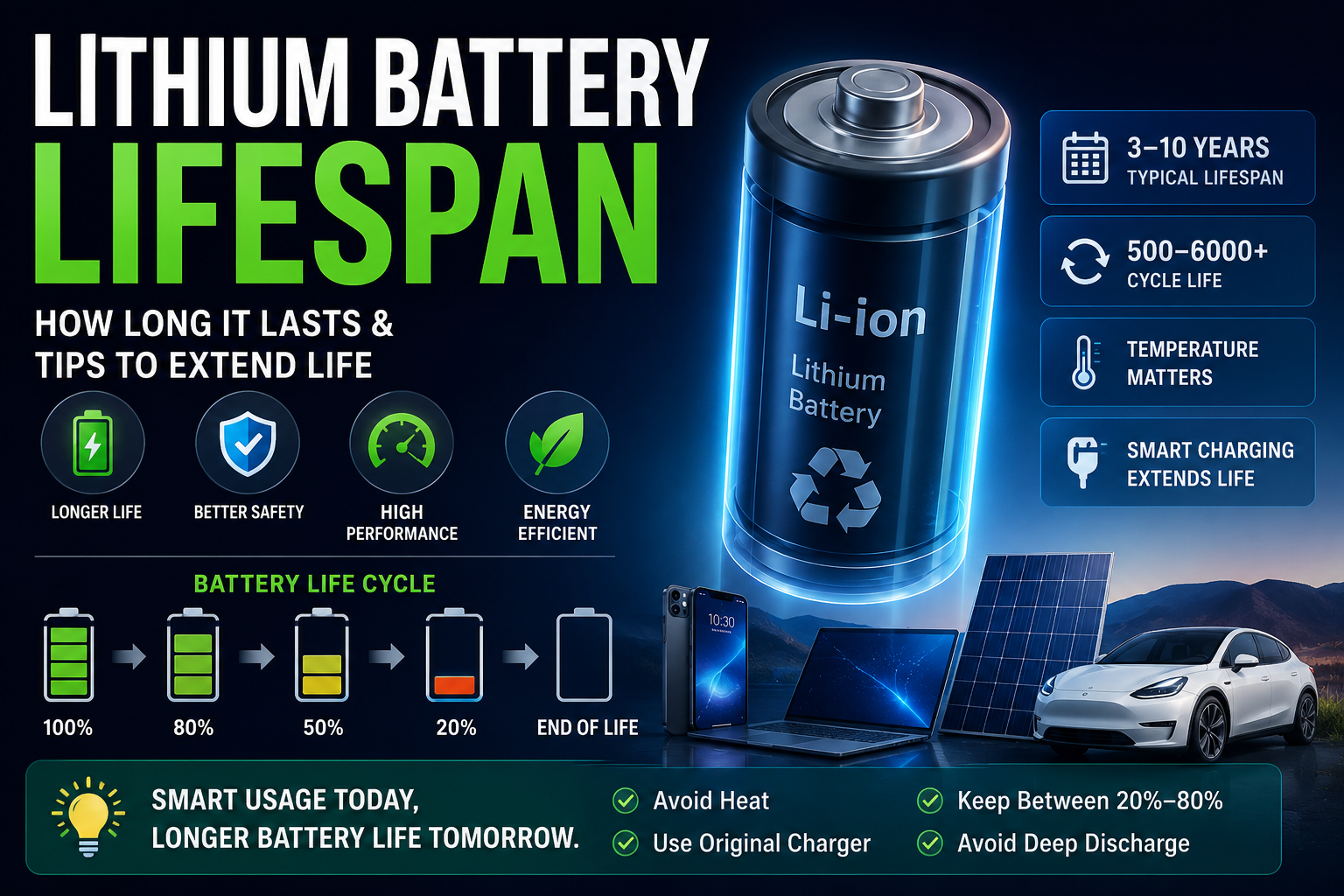
Eventually, it isn’t phantom anything. Lithium batteries lose a small amount of capacity with every cycle and with every year on the calendar, even under perfect care. A LiFePO4 battery rated for 3,000–6,000 cycles will still be at roughly 80% of its original capacity at end of life — which means a five-year-old battery legitimately stores less than it did on day one. If your 100Ah battery now behaves like a 75Ah battery, that’s not drain; that’s the battery’s honest new size.
How do you tell aging apart from the fixable causes? Aging is gradual and consistent: the runtime shrinks a little every few months, the pattern matches across all cells (no single outlier), and nothing you disconnect changes the outcome. The isolated-rest test in the checklist below is decisive: if the disconnected pack still loses charge far faster than the normal self-discharge rate (roughly 1–3% per month for lithium chemistries), the cells themselves are the problem. For the broader lifespan picture — typical cycle counts, calendar aging, and how to get the most years out of a pack — our guide on how long lithium batteries last covers it in depth.
When aging is the diagnosis, the honest fixes are resizing your expectations (plan loads for the battery’s current capacity, not its nameplate), adding capacity, or replacing the battery. No app setting reverses chemistry.
Symptom → Cause → Fix: The Diagnostic Table
Use this table to match what you’re observing to the most likely cause, then jump to the relevant section above.
| Symptom | Most likely cause | First fix to try |
|---|---|---|
| Battery drops overnight with nothing visibly on | Parasitic loads, or inverter standby | Measure draw with clamp meter; check inverter’s no-load watts in the manual |
| Dies at 30–40% indicated, then voltage rebounds after resting | Unbalanced cells or voltage sag under load | Full uninterrupted 100% charge for balancing; check cell voltages in BMS app |
| Drains noticeably even with everything disconnected | BMS/electronics standby or faulty pack electronics | Use the pack disconnect switch for idle periods; have electronics checked |
| Used to last all night, now dies by 2 AM, pattern worsening monthly | Genuine aging / capacity fade | Size loads to current capacity; plan for augmentation or replacement |
| Drains much faster in summer than winter | Heat accelerating self-discharge | Relocate bank to cool shaded spot with airflow |
| Battery bank never seemed to last as long as the math said | Undersized bank for the load, or inverter self-consumption unaccounted | Re-calculate loads vs. capacity; move non-essentials off backup |
| Loses charge over weeks of storage | Normal self-discharge + BMS standby | Store at 40–60% charge; disconnect main cable; check monthly |
| One cell far lower than others in the BMS app | Failing or badly imbalanced cell | Attempt balancing charge; if gap persists, call a technician |
Normal Self-Discharge Rates by Chemistry
For reference — this is how fast batteries lose charge sitting idle with nothing connected, per published technical comparisons:
| Battery type | Typical self-discharge per month | Notes |
|---|---|---|
| Lithium-ion (NMC/LCO) | 1–2% | Best for long storage; phones, laptops, power banks |
| LiFePO4 (solar/UPS packs) | 2–3% | Plus small BMS standby draw on complete packs |
| AGM lead-acid | 1–3% | Comparable to lithium for short storage |
| Flooded lead-acid | 3–5% | Needs topping up every few months |
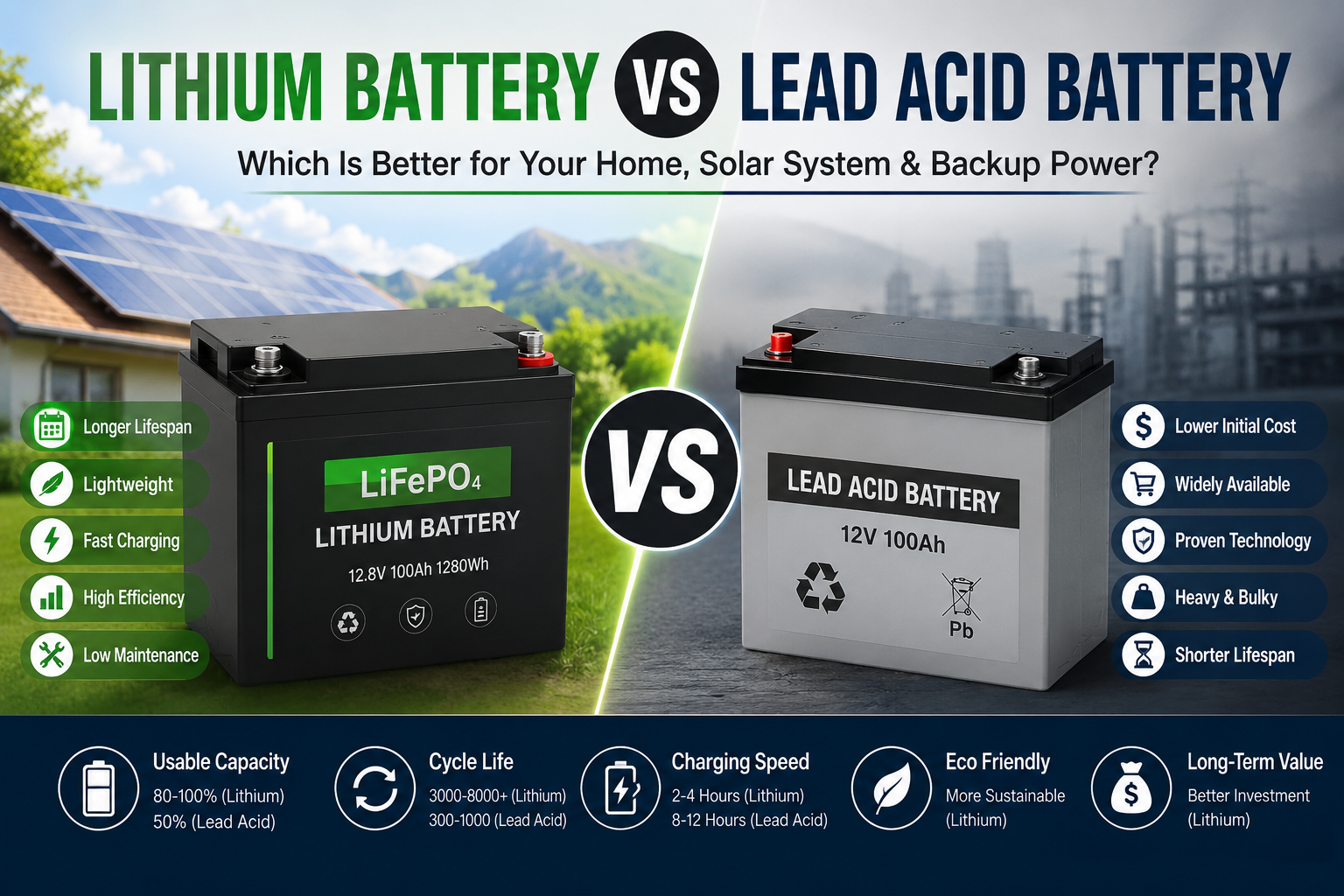
If your lithium pack is losing far more than a few percent per month while genuinely isolated, something beyond normal self-discharge is at work — see the checklist below. (If you’re comparing chemistries for a new purchase, our lithium vs lead-acid battery comparison covers self-discharge alongside cost and lifespan trade-offs.)
The 30-Minute Home Troubleshooting Checklist
Work through these steps in order. They go from easiest to most involved, and each one rules out a whole category of causes.
Step 1 — Check the obvious. Look for anything drawing power that you’ve stopped noticing: the Wi-Fi router on the backup circuit, a CCTV DVR, an alarm panel, a gate motor, phone chargers, a water dispenser with a heater. Switch off or unplug non-essentials for one night and see if the drain changes.
Step 2 — Read the inverter display at night. With all household loads off, note the inverter’s own reported consumption or the battery discharge current. Many hybrid inverters show this on screen or in their app. A steady tens-of-watts draw with zero loads is standby self-consumption, not a battery problem.
Step 3 — Look up your inverter’s standby spec. Find “no-load,” “idle,” or “standby consumption” in the datasheet. Multiply by 24 hours. If that number is a meaningful slice of your battery capacity, you’ve found a major contributor.
Step 4 — Measure the real draw. Clamp a DC clamp meter around one battery cable with everything supposedly off. Zero amps means zero phantom load. Any steady current is going somewhere — trace it by switching off breakers or disconnecting branches one at a time.
Step 5 — Check cell balance. If your battery has a smart BMS with an app, open the cell voltage page at full charge. Cells more than about 0.05V apart (some use 0.1V as the practical flag) indicate imbalance; run a full 100% balancing charge.
Step 6 — Run the isolated-rest test. Fully charge the battery, disconnect everything (loads and inverter), record the voltage, and leave it 48 hours. Minimal change means the cells are healthy and your drain is external. Significant loss means the problem is inside the pack — proceed to “When to Call a Technician,” not to opening the battery yourself.
Step 7 — Review the heat situation. Where does the battery live? A tin shed, rooftop corner, or closed store room in a Pakistani summer is a red flag. If the pack feels hot to the touch after sitting idle, heat is accelerating your drain.
Step 8 — Audit your loads. Add up the wattage of everything on the backup circuit and multiply by your typical outage hours. If the total exceeds roughly 80% of the battery’s usable capacity, the bank is undersized — or the loads have crept up since installation.
Step 9 — Check the battery’s age and history. How many years has it served? Has it been drained flat repeatedly during long load-shedding? Gradual, consistent runtime loss over years points to natural aging.
Step 10 — Document and decide. Write down what you found at each step. If the first eight steps explain the drain, fix them. If everything external checks out and the isolated pack still drains fast, it’s a pack-internal problem — a technician’s territory.
Pakistan-Specific Drain Scenarios
A few patterns come up again and again in Pakistani homes and are worth calling out directly.
The load-shedding trap. During extended outages, owners keep adding “just one more fan” to the inverter circuit. Each addition is small; the total eventually exceeds what the battery can deliver overnight. The battery then deep-discharges night after night, which both makes it look like it drains fast and genuinely damages its capacity. Audit the backup circuit once a season.
The router-on-backup surprise. In many Pakistani homes, the fiber ONT and Wi-Fi router are wired to the UPS/inverter circuit so the internet survives outages. That’s convenient — and it’s also a 10–20W continuous load (240–480 Wh/day) that many owners forget to count in their sizing math.
Summer shed heat. Solar batteries in Pakistan frequently live in outdoor tin sheds or rooftop enclosures where June temperatures push the pack far beyond comfortable operating range. This is one of the highest-impact, cheapest-to-fix causes of fast drain in the country: shade and airflow cost almost nothing and measurably slow both idle drain and long-term aging.
Rebadged hybrid inverters. A large share of the hybrid solar inverters sold in Pakistan are built on common OEM platforms (Voltronic-type machines sold under many local brand names). Their standby consumption varies widely by model — some sip a couple of watts, others draw several tens of watts continuously. Because the brand on the box doesn’t tell you the standby figure, always check the specific model’s datasheet or measure it yourself rather than assuming.
Old UPS units with lithium retrofits. Swapping a lead-acid bank for lithium on an older UPS is common, but old UPS chargers and their control logic were designed for lead-acid behavior. Mismatched charge profiles can leave the lithium bank chronically undercharged — which both shortens runtime and prevents cell balancing, mimicking fast drain. If you retrofitted, confirm the charger has a lithium profile.
Safety: Never Open the Pack or Bypass the BMS
This needs to be said plainly because some online guides suggest otherwise: do not open a lithium battery pack, and do not bypass the BMS — not for testing, not for “just a minute,” not ever.
Opening a sealed pack exposes you to live high-voltage DC busbars, risks shorting cells with a slipped tool (a shorted lithium cell can vent hot gas or catch fire within seconds), and voids any warranty. Some troubleshooting guides recommend temporarily bypassing the BMS to test whether it’s the source of drain — this is dangerous advice. The BMS is the only thing standing between the cells and overcharge, over-discharge, and short-circuit. A pack running without it is unprotected.
Every diagnostic step in this guide can be done from outside the pack: measuring current at the cables, reading the BMS app, checking temperatures, auditing loads. If your investigation points to something inside the pack — a failing cell, a faulty BMS, swelling, heat, or strange smells — stop there and call a professional. The correct response to a suspect pack is isolation (disconnect it, move it away from flammables if it’s hot or swelling, don’t charge it), not disassembly.
When to Call a Technician
DIY diagnosis has a clear boundary. Call a qualified solar/battery technician when:
- One cell in the BMS app is consistently far lower than the others and balancing charges don’t close the gap.
- The battery gets warm while sitting idle with no loads — idle heating can indicate an internal fault.
- You notice swelling, a strange sweet or chemical smell, leaking, or any physical deformation. Stop using the battery immediately in these cases.
- The isolated-rest test shows fast drain with everything disconnected — the fault is inside the pack.
- You suspect the inverter’s charging profile doesn’t match the battery chemistry (especially lithium retrofits on old UPS units).
- You’re considering opening the pack, replacing cells, or replacing the BMS yourself. Don’t — that’s technician work with proper equipment and safety procedures.
A good technician will have a proper capacity tester, an IR thermometer or thermal camera, and the experience to tell a dying cell from a settings problem in one visit.
FAQs
Why is my lithium battery draining overnight when nothing is on?
Most likely something is on that you haven’t counted: inverter standby consumption, a router or CCTV on the backup circuit, or the pack’s own BMS and Bluetooth electronics. Measure the actual current leaving the battery with a DC clamp meter when everything is supposedly off — a healthy idle system should read zero.
Is it normal for a lithium battery to lose charge when not in use?
A small amount, yes. Normal self-discharge for lithium chemistries is roughly 1–3% per month, plus a tiny continuous draw from the pack’s BMS electronics. Losing several percent in a single day with everything disconnected is not normal and points to a fault or a hidden load.
Can heat make my lithium battery drain faster?
Yes. Heat speeds up the internal chemical reactions behind self-discharge and also permanently accelerates aging. In hot Pakistani summers, batteries kept in tin sheds or sun-exposed enclosures can drain noticeably faster while idle — shade, ventilation, and keeping the pack below roughly 45°C make a real difference.
Why does my battery die at 30% but the voltage bounces back after resting?
That’s usually unbalanced cells or voltage sag. The BMS shuts down when the weakest cell hits its cutoff, even though other cells still hold energy — it feels like fast drain. A full uninterrupted 100% charge lets the BMS rebalance the cells. Under heavy loads, terminal voltage also dips temporarily and recovers at rest; that’s normal electrical behavior, not lost capacity.
Does the inverter drain the battery even when it’s switched on but idle?
Yes — unless it has a true physical disconnect, an inverter draws standby power continuously to keep its control and monitoring circuits alive. Depending on the model this can be a few watts or several tens of watts, which adds up to a significant fraction of a small battery bank every day. Check your model’s standby spec or enable its eco/sleep mode.
Should I fully charge my lithium battery every day?
For solar/UPS LiFePO4 use, reaching 100% roughly weekly is good practice because it gives the BMS its balancing window and resets the state-of-charge calculation. Daily full charges aren’t harmful for LiFePO4 the way they are for some other chemistries, but the key point is: don’t let partial charging go on for months, or cell drift will make the pack seem to drain faster.
My battery is 5 years old and drains fast — is it dead?
Not necessarily dead, but very likely aged. A battery that has lost 20–30% of its original capacity over years of cycling and hot summers will honestly behave like a smaller battery. If the decline was gradual and consistent, and the isolated-rest test shows only mildly elevated self-discharge, it’s natural aging: resize your loads to the battery’s current capacity or plan a replacement.
Can a faulty BMS cause fast draining?
Yes. A malfunctioning BMS or its connected electronics (Bluetooth module, display) can draw far more standby current than designed, or misreport cell voltages and cut off early. Suspect this if the pack drains fast even with all external loads disconnected — but never bypass the BMS to test it; have a technician diagnose it with the pack intact.
Conclusion
A lithium battery that drains fast is usually telling you about its environment, not its health. In the large majority of cases, the energy is going to hidden parasitic loads, inverter standby consumption, or the pack’s own electronics — all of which are findable with a clamp meter and an honest load audit, and fixable without touching the battery itself. Unbalanced cells and summer heat account for most of the rest, and both respond to simple habits: regular full balancing charges and a cool, ventilated home for the bank.
Reserve the “dying battery” verdict for last. Genuine capacity loss from aging is gradual, consistent, and confirmed by the isolated-rest test — and when that’s the diagnosis, the fix is planning (right-sized loads, added capacity, or replacement), not settings. Work through the checklist in this guide before spending money on a new battery; there’s a good chance the battery you have is fine, and the real culprit is a 30-watt standby load you’ve been feeding for free.
Sources & Further Reading
- Herewin Power — “Lithium Battery Self-Discharge: Normal Voltage Drop vs. Cell Leakage” — the cell-level vs. pack-level drain distinction, BMS standby current ranges, and how to judge normal vs. abnormal voltage loss: https://www.herewinpower.com/blog/lithium-battery-self-discharge-normal-voltage-drop-vs-abnormal-cell-leakage/
- SRNE Solar — “Will I Save Power if I Switch Off the Hybrid Inverter When Not Using?” — inverter standby/no-load consumption figures and the 40W ≈ 1 kWh/day example: https://www.srnesolar.com/articledetail/will-i-save-power-if-i-switch-off-the-hybrid-inverter-when-not-using.html
- Heated Battery — “Why is my LiFePO4 battery draining so fast?” — parasitic loads, temperature effects, cell imbalance, and balancing-charge guidance: https://www.heatedbattery.com/why-is-my-lifepo4-battery-draining-so-fast/
- Carorahub — “Battery Self Discharge vs Parasitic Loss” — self-discharge rate comparison table across chemistries and normal parasitic draw ranges: https://carorahub.com/battery-self-discharge-vs-parasitic-loss/
- Southwest Solar Supply — Growatt 3kW off-grid inverter specifications (standby consumption figure): https://swsolarsupply.com/products/3kw-24v-150vdc-80a-off-grid-inverter-by-growatt
- Saibazone — What Damages Lithium Batteries (9 common mistakes): https://saibazone.com/what-damages-lithium-batteries/
- Saibazone — How Long Do Lithium Batteries Last: https://saibazone.com/how-long-do-lithium-batteries-last/
- Saibazone — Lithium Battery Temperature Range for Hot Climates: https://saibazone.com/lithium-battery-temperature-range-hot-climate/
One thought on “Why Your Lithium Battery Drains Fast: Causes & Fixes That Actually Work”