Can You Revive a Dead Lithium Battery? Safe Methods
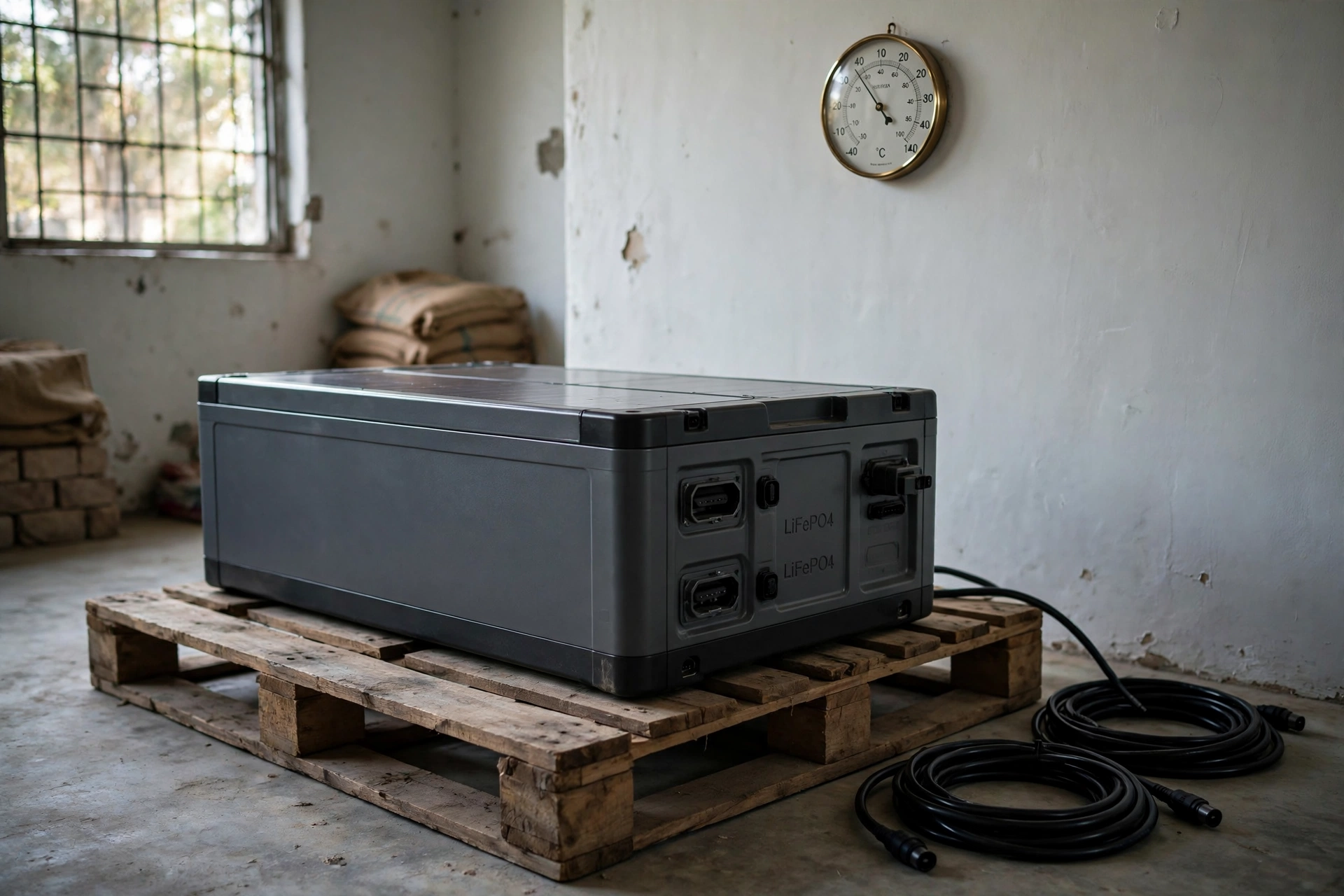
Your battery bank went silent. No display on the inverter, no lights on the battery indicator, and the charger acts like nothing is connected. Before you write it off — or worse, before you try a risky trick you saw on YouTube — there is something you should know: most lithium batteries that look dead are not actually dead. They are asleep.
This guide explains how to revive a dead lithium battery safely: what “dead” really means for a lithium battery, which situations you can recover safely at home, which situations you must never touch, and how Pakistani conditions — long load-shedding nights, old UPS retrofits, and brutal summer heat — keep creating this problem in the first place.
Quick answer: A lithium battery that reads 0V and refuses to charge usually has its Battery Management System (BMS) in protective shutdown after a deep discharge, not failed cells. If the pack is physically intact — no swelling, heat, leaks, or smell — you can often wake it with a lithium charger that has a recovery or 0V wake-up mode, or with the manufacturer’s own wake-up procedure. If the battery is swollen, hot, leaking, or has sat deeply discharged for months, do not attempt a recovery. Take it to a technician or recycle it.
Table of Contents
- What “Dead” Actually Means for a Lithium Battery
- Why Lithium Batteries Die in Pakistan: The Usual Suspects
- Safety First: When You Must NOT Try a Revival
- Step 1: Diagnose the Battery Before Touching Anything
- Step 2: Safe Recovery Methods That Actually Work
- Step 3: After It Wakes — Charge, Balance, and Reset Expectations
- Methods You Should NEVER Attempt
- Revive or Replace? A Practical Decision Guide for Pakistan
- How to Stop Your Battery Going Flat Again
- FAQs
- Conclusion
- Sources & Further Reading
What “Dead” Actually Means for a Lithium Battery
When someone says their lithium battery “died,” they almost always mean one of two very different things — and the difference decides whether you can fix it or not.
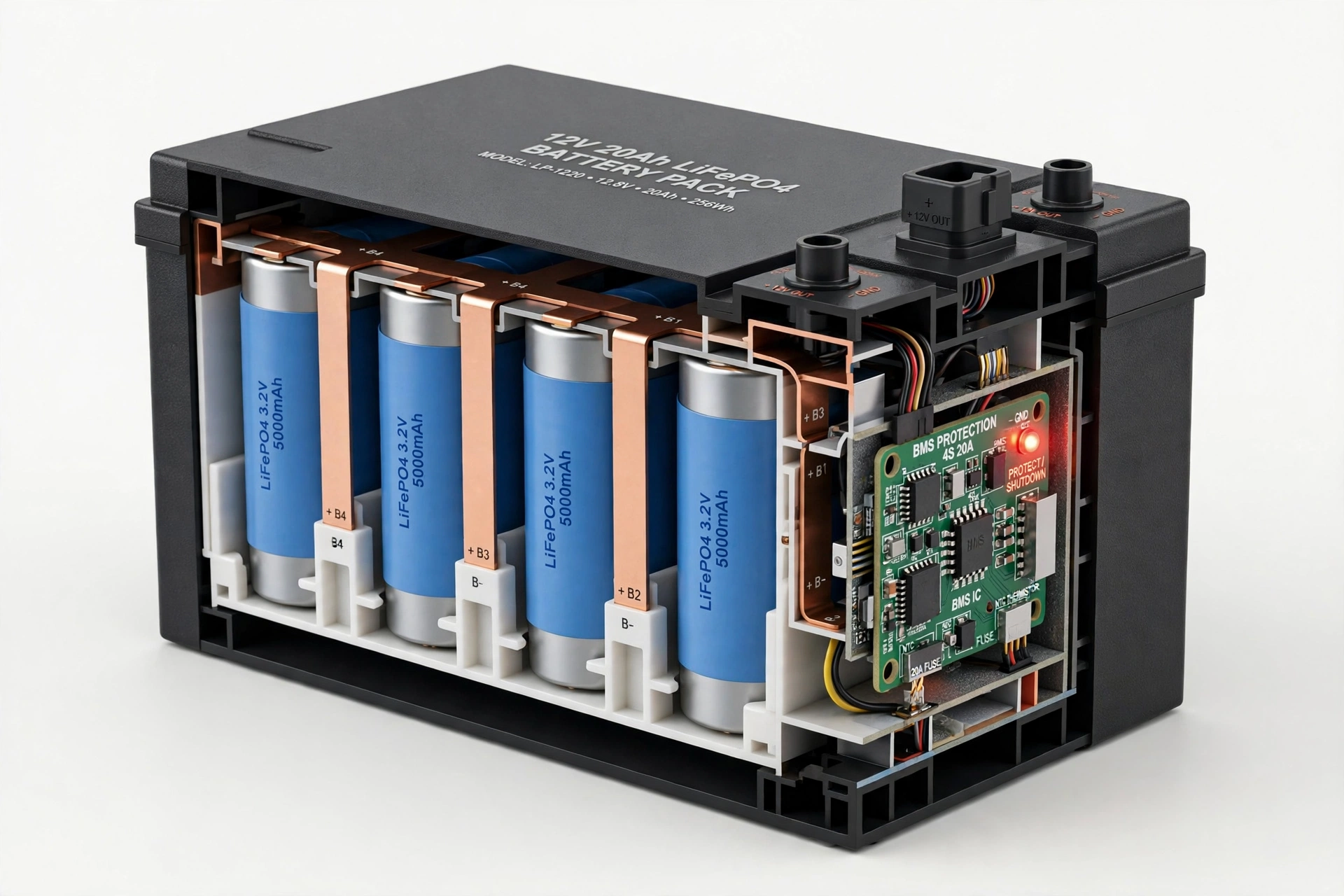
1. BMS shutdown (sleeping, usually recoverable). Every modern lithium battery pack contains a Battery Management System: a small circuit board that watches cell voltage, current, and temperature. If a cell drops toward the low-voltage limit, the BMS disconnects the output terminals to protect the cells. Your battery looks completely dead — 0V at the terminals, no response — but the cells inside may still be sitting at a recoverable voltage. This is the most common scenario, and it is a protective state, not a failure.
2. Chemically dead (usually not recoverable at home). If the cells themselves have been driven down to extremely low voltages — roughly below 1.5–2.0V per cell for lithium-ion, or near 0V — and left there for weeks or months, internal chemical damage can occur. Copper from the current collector can dissolve and later re-form as tiny metallic structures during recharging, which can create internal short circuits and a genuine fire risk. At that point, the cells are not sleeping; they are damaged. No amount of clever charging fixes damaged chemistry.
The practical takeaway: your first job is not to “revive” anything. Your first job is to figure out which of the two situations you are in. Read the diagnosis section before you connect any charger.
For a typical 12V LiFePO4 battery — the kind most common in Pakistani home solar and UPS setups — the BMS low-voltage cutoff sits at roughly 10V for the whole pack (about 2.5V per cell). A reading below 10–10.5V is generally considered deeply discharged. For 24V packs the cutoff is around 20V, and for 48V packs around 40V.
If you are new to how these packs are built, our ultimate guide to how lithium batteries work explains the role of the BMS and why it disconnects the pack when voltages fall too low.
Why Lithium Batteries Die in Pakistan: The Usual Suspects
Lithium batteries do not usually die for mysterious reasons. In Pakistani homes, the same three or four scenarios show up again and again:
Long load-shedding cycles that drain the pack flat. This is the number-one cause. A family runs fans, lights, and a fridge through the night during a long outage. The inverter keeps pulling until the BMS cuts off. Then, exhausted or busy, nobody recharges the battery promptly — sometimes for days. Each of these events pushes the pack closer to deep discharge. Lithium handles occasional deep cycles far better than lead-acid, but repeated full drains still wear it down, and a pack left sitting at cutoff voltage slowly self-discharges further.
Old UPS retrofits with mismatched chargers. A huge number of Pakistani households have swapped their old lead-acid tubular batteries for lithium drop-ins while keeping the original UPS or charger. Lead-acid chargers use different voltage profiles — often with equalization stages that a lithium BMS does not expect. The result: chronic undercharging, sudden BMS cutouts, or the charger simply refusing to recognize the pack. If your lithium battery replaced a lead-acid one without a charger change, read our comparison of lithium battery vs lead-acid battery to understand why the charging equipment matters as much as the battery.
Summer heat accelerating the damage. A battery that goes flat in a cool storeroom is one thing; a battery that goes flat in a 45°C rooftop battery cabinet in Multan or Jacobabad is another. High temperatures speed up every harmful chemical reaction inside a discharged cell. We covered this in detail in our guide to lithium battery temperature ranges in hot climates — the short version is that heat plus deep discharge is the worst possible combination.
Storage neglect and parasitic drains. A battery left disconnected in a storeroom for months keeps self-discharging slowly. Small parasitic loads — an inverter in standby, a battery monitor, a charge controller backlit at night — do the same thing faster. This is the same mechanism behind calendar aging during storage, and it is why batteries die quietly in homes where nobody checks them for months.
Knowing which scenario fits your battery tells you a lot about your odds. A pack that tripped last night during load shedding is a far better revival candidate than one that has been sitting flat in a hot storeroom since last summer.
Safety First: When You Must NOT Try a Revival
This section is the most important in the article. Read it before doing anything else.
Do not attempt to revive or charge a lithium battery if you observe any of the following:
- Swelling or bulging of the casing — this means gas has built up inside from internal chemical reactions. A swollen battery can catch fire or burst.
- Unusual heat — the pack is warm or hot while sitting disconnected, or it heats up quickly when a charger is attached.
- Leaking fluid or a sharp chemical smell — the cell seal has failed.
- Cracked or damaged casing, melted terminals, or scorch marks.
- The battery has been sitting at near-zero voltage for months, especially in heat. Severely over-discharged cells can develop internal damage that turns dangerous when current is forced back in.
- The BMS shuts the pack down again immediately after every charge attempt — this usually signals severe cell imbalance or a failing cell group, not a simple sleep state.
If any of these apply, stop. Do not charge it, do not open it, and do not put it in household waste. Isolate the battery somewhere non-flammable and cool, keep it away from living areas, and contact a qualified battery technician or a proper battery/e-waste collection point for disposal. We explain the broader set of battery-killing mistakes — many of which turn a recoverable situation into a dead one — in our article on what damages lithium batteries.
A note on scope: everything in the recovery section below applies to sealed, consumer-grade packs — the drop-in 12V/24V/48V batteries used in homes and small solar systems. It does not apply to punctured, crushed, or visibly destroyed packs. Those are disposal cases, full stop.
Step 1: Diagnose the Battery Before Touching Anything
Recovery without diagnosis is guesswork, and guesswork with lithium is how accidents happen. Work through these steps in order. A basic digital multimeter — roughly Rs. 1,500–3,000 in Pakistani electronics markets as of October 2026 — is the one tool you genuinely need.
1. Disconnect everything. Switch off the inverter or DC breaker, unplug all loads, and remove standby consumers. You want the battery completely isolated.
2. Inspect the pack physically. Look for swelling, cracks, leakage, melted plastic, discoloration, or any smell. Do this in a ventilated area, away from open flames. If anything looks or smells wrong, stop here — see the safety section above.
3. Measure the terminal voltage. Set the multimeter to DC voltage and read across the battery terminals.
4. Check fuses and connections. Many drop-in batteries and battery boxes have blade fuses — often a small charge fuse and a larger discharge fuse. A blown fuse looks exactly like a dead battery. Pull them, check continuity, and inspect terminals for corrosion or loose wiring before concluding the battery itself is the problem. Also verify the charger’s output with the multimeter; a dead charger mimics a dead battery perfectly.
5. If your pack has a BMS app or display, check per-cell voltages. Some packs expose individual cell readings through Bluetooth or a display. This is valuable: if the terminals read 0V but the cells read 2.0–3.0V each, you almost certainly have BMS sleep — the best-case scenario.
Use this table to interpret what you find:
| What you measure | Likely state | What to do |
|---|---|---|
| Terminals read 0V or near 0V, cells 2.0–3.0V each | BMS sleep — protective shutdown, cells healthy | Proceed with safe wake-up methods below |
| Pack voltage below cutoff but above 0 (e.g., ~8–10V on a 12V pack), no damage | Deep discharge — BMS disconnected, cells stressed | Wake carefully at low current, monitor closely |
| Any cell below ~1.5V, or cells at true 0V | Likely permanent cell damage | Do not force charge; technician or replacement |
| Normal voltage present but system dead | Fuse, wiring, charger, or inverter fault | Fix the external fault; the battery is fine |
| Swelling, heat, leak, or chemical smell | Physical damage — unsafe | Do not charge; isolate and dispose of properly |
If you want a fuller walkthrough of at-home health checks — voltage testing, load testing, and reading the signs of aging — see our guide on how to check your lithium battery’s health at home.
Step 2: Safe Recovery Methods That Actually Work
Everything below assumes your diagnosis points to BMS sleep or a straightforward deep discharge in a physically intact pack. Work in a ventilated area, stay with the battery while it charges, and stop immediately if the pack gets hot, swells, or smells strange.
Method 1: Wake it with the manufacturer’s own charger (safest first step)
This sounds obvious, and it is the step most people skip. Many BMS units automatically reset when they detect the correct charging voltage:
- Disconnect the battery from all loads.
- Plug the manufacturer’s approved lithium charger into the wall socket first.
- Connect it to the battery’s charging port.
- Leave it connected for 15–30 minutes — even if the charger’s indicator stays green or shows no activity. Some BMS designs need sustained charger voltage before they reopen the charge circuit.
- If the charger switches to charging mode, let the normal charge cycle complete.
If the charger stays green and nothing happens, the charger may have a minimum-voltage requirement it cannot meet at 0V. Move to Method 2.
Method 2: Use a lithium charger with recovery / 0V wake-up mode
Many modern LiFePO4 chargers include a recovery, boost, or 0V activation mode designed exactly for this situation. The charger applies a small conditioning current even when the terminals read 0V, gently raising the voltage until the BMS wakes and normal charging can begin. Follow the manufacturer’s instructions for your specific charger: confirm polarity, connect the battery first, then apply power, and use the recovery setting as directed. This is the preferred tool for the job — it is purpose-built, current-limited, and far safer than improvised alternatives.
Method 3: A slow, monitored pre-charge
If no recovery-mode charger is available, a careful low-current pre-charge can raise the voltage enough for the regular charger to take over:
- Use a proper lithium charger or a current-limited power supply — never a car battery charger or an unregulated supply.
- Apply a low current (a few hundred milliamps is the commonly suggested range for this stage) and watch the voltage rise on your multimeter every few minutes.
- Keep your hand near the pack and check temperature regularly. Warm is acceptable; hot is an immediate stop.
- Once the pack voltage climbs back above the BMS cutoff (roughly 10V for a 12V pack), disconnect the pre-charge setup and switch to the normal lithium charger for a full charge.
Never leave this process unattended. The entire point of the low current is to keep stress and heat minimal while the voltage recovers.
Method 4: BMS reset procedures (power cycle and reset button)
Some packs respond to a simple electronic reset rather than any charging intervention:
- Power cycle: disconnect the battery from everything, press and hold the battery’s power or gauge button for 15–20 seconds, wait 10–15 minutes, then press it once normally and check whether the indicators respond.
- Reset button: some packs have a small recessed reset button near the charging port. If your battery’s manual describes one, press it gently for about 10 seconds as instructed.
- Disconnect-and-wait: simply disconnecting all terminals and leaving the pack isolated for a while can clear a latched protection state on some BMS designs.
These are non-invasive and worth trying before anything else on packs that went unresponsive after storage or a protection trip.
Method comparison at a glance
| Method | Best for | Risk level | What you need |
|---|---|---|---|
| Manufacturer charger wake-up | Recent BMS trip, pack idle for days/weeks | Low | The original lithium charger |
| Recovery-mode charger (0V wake-up) | Terminals at 0V, healthy cells | Low | LiFePO4 charger with recovery/boost mode |
| Slow pre-charge | Deep discharge, no recovery charger available | Low–moderate | Multimeter, current-limited lithium charger, supervision |
| BMS reset / power cycle | Pack unresponsive after storage or a trip | Low | Just the battery and its manual |
| Technician or replacement | Damage signs, cells below ~1.5V, repeated shutdowns | — | A qualified battery service |
Step 3: After It Wakes — Charge, Balance, and Reset Expectations
Getting the battery to accept charge again is the middle of the story, not the end. A revived pack needs careful handling before you trust it with your home’s backup power.
Charge it fully and let it balance. Once normal charging starts, charge the pack to 100% and let it sit through the full constant-voltage stage. This is when the BMS performs cell balancing — equalizing the cells so no single cell lags behind. If your pack has a BMS app, check that the cell voltages settle close together. A cell that repeatedly lags after balancing may be weak or failing, which is useful information before you depend on the pack again.
Run a controlled test cycle. After the full charge, use the battery under a normal, moderate load and watch how it behaves. Note whether it holds voltage steadily or drops unusually fast. If your inverter shows state-of-charge, compare it against actual runtime. One careful cycle — charge to 100%, discharge to roughly 20%, recharge — also helps the BMS recalibrate its state-of-charge reading, which often goes inaccurate after a deep-discharge event.
Reset your expectations. This is the honest part that revival guides sometimes skip: a battery that has been deeply discharged rarely comes back to its original condition. Internal resistance usually rises, usable capacity usually drops somewhat, and the pack may drain a little faster than before. Treat a revived battery as serviceable but slightly diminished — and if it powers critical loads like a home office or medical equipment, consider whether “slightly diminished and less predictable” is good enough, or whether replacement is the smarter call.
For context on normal lifespan expectations, our guide on how long lithium batteries last explains cycle life and the factors that shorten it — deep discharge events count against that life.
Methods You Should NEVER Attempt
The internet is full of revival “hacks” for dead lithium batteries. The following are dangerous, and you should treat anyone recommending them as someone who does not understand lithium chemistry:
- Opening the pack to “fix” individual cells. A sealed pack contains live, high-current conductors. Opening it risks short circuits, electric shock, and thermal runaway. Cell-level work is strictly technician territory.
- Bypassing or disabling the BMS. The BMS is the only thing standing between a stressed cell and a fire. Bypassing it to force a charge removes every protection at once. If the BMS keeps shutting the pack down, that is information — it is telling you something is wrong. Listen to it.
- Jump-starting with a car battery or ordinary jump pack. Car batteries deliver massive uncontrolled current at the wrong voltage profile. Forcing that into a lithium pack can destroy the BMS, damage cells, and start a fire. This method is designed for lead-acid chemistry, not lithium.
- Using a lead-acid charger as the revival charger. Wrong voltage profile, wrong charge stages, and in some designs an equalization mode that lithium cells must never see. Use a charger designed for your battery’s chemistry.
- The freezer trick. Some forums suggest freezing a dead battery to “restore chemical activity.” There is no reliable evidence this helps lithium cells, and condensation forming inside the pack when it thaws creates short-circuit risk. Do not freeze your battery.
- Puncturing or “venting” a swollen cell. A swollen battery is a disposal case, not a repair project. Puncturing it can ignite the escaping gases.
None of these are “advanced techniques for experienced users.” They are ways to turn a recoverable battery into a destroyed one, or a destroyed one into a fire.
Revive or Replace? A Practical Decision Guide for Pakistan
Sometimes the right answer is a new battery. Here is how to think about it, with the rough economics Pakistani buyers face as of October 2026.
| Situation | Recommended action |
|---|---|
| Pack tripped last night during load shedding, no damage, cells healthy | Revive with the safe methods above |
| Pack sat flat for a few weeks in moderate temperatures | Attempt revival with close monitoring |
| Pack sat flat for months, especially through summer heat | Attempt revival only with extreme caution — or go straight to a technician |
| Any swelling, heat, leak, smell, or physical damage | Replace — do not attempt revival |
| Cells below ~1.5V or BMS shuts down immediately after every charge | Replace — the pack is telling you it is done |
| Pack revives but capacity is clearly much lower than before | Replace if it powers critical loads; keep as secondary backup only if it behaves stably |
On cost: as of October 2026, a basic digital multimeter costs roughly Rs. 1,500–3,000, and a proper LiFePO4 charger with a recovery mode typically runs roughly Rs. 8,000–20,000 depending on amperage — both are one-time purchases that serve you for years. A replacement 12V 100Ah LiFePO4 battery in Pakistan roughly falls in the Rs. 90,000–150,000 range depending on brand and seller, while larger 48V solar batteries cost several times that. These are rough market ranges, not quotes — prices move with the dollar rate and stock availability, so check current listings before budgeting.
The decision rule is simple: if a revival attempt with proper equipment costs you nothing but time and the battery comes back stable, you have won. If you would need to buy improvised gear, force questionable methods, or keep nursing an unstable pack, the money is better spent on a replacement. A battery you cannot trust is not a bargain at any price.
When you do shop for a replacement, our guide to the best lithium battery for solar systems and our tips on extending lithium battery lifespan will help you buy once and buy right.
How to Stop Your Battery Going Flat Again
Revival is a rescue operation. Prevention is the actual strategy — and it is cheaper than every option above:
- Set a low-voltage disconnect. Configure your inverter or add a disconnect device that drops loads at the manufacturer’s recommended threshold, before the BMS is forced to shut the pack down. The BMS cutoff is a last resort, not a routine operating limit.
- Use the right charger for the chemistry. If your lithium battery is running on a charger designed for lead-acid, replace the charger. Mismatched charging is one of the most common slow killers we see.
- Recharge promptly after deep use. Do not leave a battery sitting at cutoff voltage after a long load-shedding night. Recharge it the same day whenever possible.
- Store at partial charge. If the battery will sit unused, store it at roughly half charge (40–60%) in a cool, dry place, and top it up every few months. Never store it fully flat or fully full for long periods.
- Kill parasitic drains. Put the inverter in full off — not standby — during long idle periods, and disconnect monitors or accessories you are not using.
- Give it air. Keep the battery ventilated and out of direct sun, especially in summer. Heat plus a low state of charge is the combination that does the most damage.
- Check voltage monthly. A two-minute multimeter check catches a slowly drifting pack long before it reaches the danger zone.
FAQs
Can a completely dead lithium battery be revived?
Sometimes. If “dead” means the BMS has shut the pack down after a deep discharge and the cells are still at a recoverable voltage, a careful low-current wake-up often works. If the cells themselves are damaged — from months at near-zero voltage, swelling, or heat — revival is not safe or possible, and the battery should be replaced.
How do you wake up a lithium battery that won’t charge?
Disconnect all loads, inspect the pack for damage, then connect the manufacturer’s lithium charger and leave it for 15–30 minutes — some BMS units need sustained charger voltage to reset. If the charger cannot start at 0V, use a lithium charger with a recovery or 0V wake-up mode, which applies a small conditioning current until the BMS reopens the charge path.
What voltage is considered deeply discharged for a 12V lithium battery?
For a typical 12V LiFePO4 battery, anything below roughly 10–10.5V is considered deeply discharged, and the BMS usually cuts off around 10V. For 24V packs the cutoff is around 20V, and for 48V packs around 40V. Exact thresholds depend on the battery’s BMS.
Is it safe to jump-start a lithium battery with a car battery?
No. Car batteries deliver large uncontrolled currents at a voltage profile designed for lead-acid chemistry. Forcing that into a lithium pack can destroy the BMS, damage the cells, and create a serious fire risk. Use a proper lithium charger with a recovery mode instead.
Can I open the battery pack and charge the cells individually?
Not as a home project. Opening a pack exposes live high-current conductors and bypasses every built-in protection. Cell-level diagnosis and repair belong to qualified battery technicians with the right equipment and training.
Will a revived battery work as well as before?
Usually not quite. Deep discharge typically causes some permanent capacity loss and higher internal resistance, so expect the battery to hold slightly less charge and drain a little faster. If it behaves stably after a full charge and balance cycle, it is generally fine for normal use — but do not trust it blindly for critical loads without testing it first.
How long does it take to wake up a sleeping BMS?
With a recovery-mode charger, often 10–30 minutes before the BMS reopens and normal charging begins. A pack that has sat discharged for months may take several hours. If nothing changes after a patient, supervised attempt, stop and have the pack professionally inspected rather than forcing the issue.
How can I prevent my lithium battery from going flat again?
Recharge promptly after heavy use, use a charger matched to lithium chemistry, set a low-voltage disconnect so the inverter sheds loads before the BMS must, store the battery at roughly half charge in a cool place, and check its voltage monthly. Prevention is always cheaper than revival.
Conclusion
Most “dead” lithium batteries are not dead at all — they are sleeping behind a BMS that did exactly what it was designed to do. If your pack is physically intact and the cells are still at a reasonable voltage, a patient wake-up with the right lithium charger will often bring it back. But revival has hard limits: swollen, leaking, overheated, or long-flat packs are not home projects, and no trick — no freezer, no car battery, no opened casing, no bypassed BMS — is worth the fire risk.
The deeper lesson is that batteries rarely die without a reason. In Pakistani homes, that reason is usually a long load-shedding night with no recharge after, a mismatched charger left over from the lead-acid era, or summer heat doing its quiet damage. Fix the cause while you revive the symptom, and the battery you save today will not need saving again next month.
Sources & Further Reading
- Gentrax — How to Revive Your Deeply Discharged Lithium Battery: https://gentrax.com.au/blogs/gentrax-blogs/how-to-revive-a-deeply-discharged-battery
- AS Power Battery — How to Wake Up a LiFePO4 Battery: 0V Recovery Guide: https://www.aspowerbattery.com/how-to-wake-up-lifepo4-battery-guide.html
- ACE Battery — How to Bring a Dead Lithium Battery Back to Life: https://www.acebattery.com/blogs/how-to-bring-a-dead-lithium-battery-back-to-life
- Himiway — Can I Revive a Dead eBike Battery? Safe Fixes & BMS Reset: https://himiwaybike.com/blogs/news/can-i-revive-a-dead-ebike-battery-safe-fixes-bms-reset